Guide · about 30 seconds

Keep Graycouch in your share menu

Keep Graycouch in your share menu

Keep Graycouch in your share menu

Pin Graycouch to your share menu once, and saving a link takes a tap or two.

Pin Graycouch to your share menu once, and saving a link takes a tap or two.

Pin Graycouch to your share menu once, and saving a link takes a tap or two.

Open an app like Threads and tap Share.

Open an app like Threads and tap Share.

Open an app like Threads and tap Share.

Threads post with the Share button highlightedThreads post with the Share button highlighted

Illustration · real screenshot coming

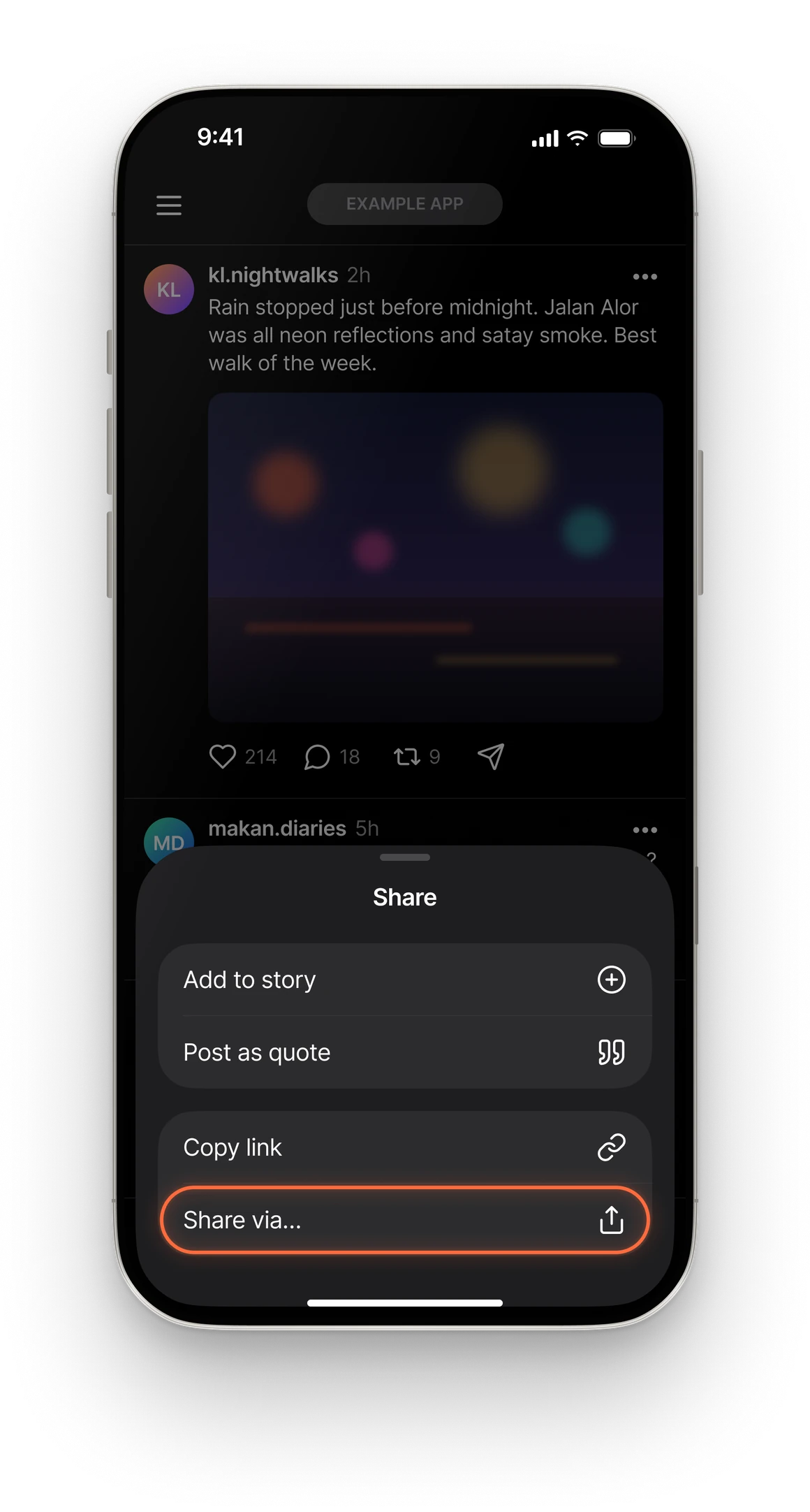
If you see Share via…, tap that too.

If you see Share via…, tap that too.

If you see Share via…, tap that too.

Share options with Share via… highlightedShare options with Share via… highlighted

Illustration · real screenshot coming

Scroll the row of apps to the end and tap More.

Scroll the row of apps to the end and tap More.

Scroll the row of apps to the end and tap More.

Share sheet scrolled to the end with More highlightedShare sheet scrolled to the end with More highlighted

Illustration · real screenshot coming

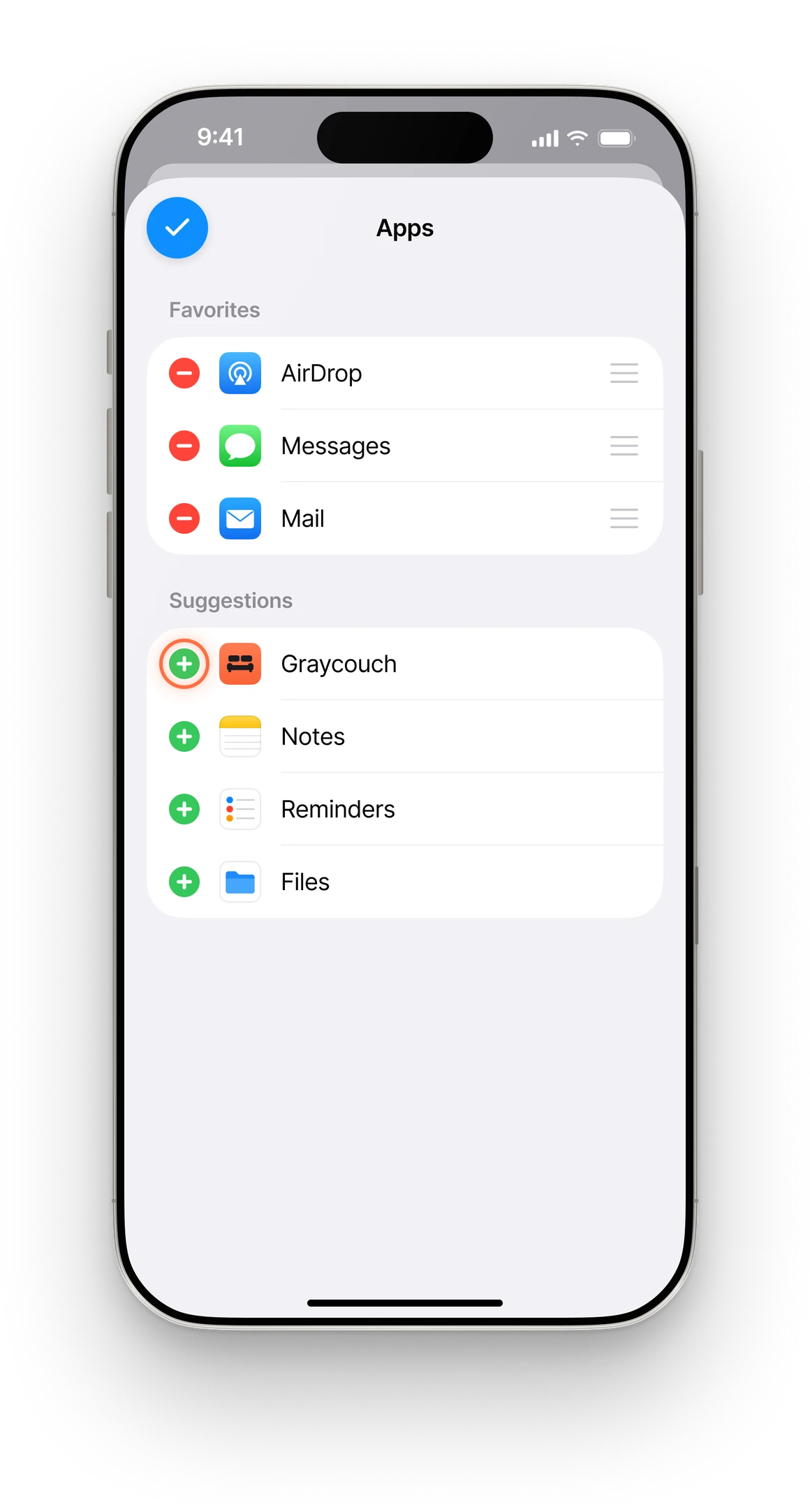
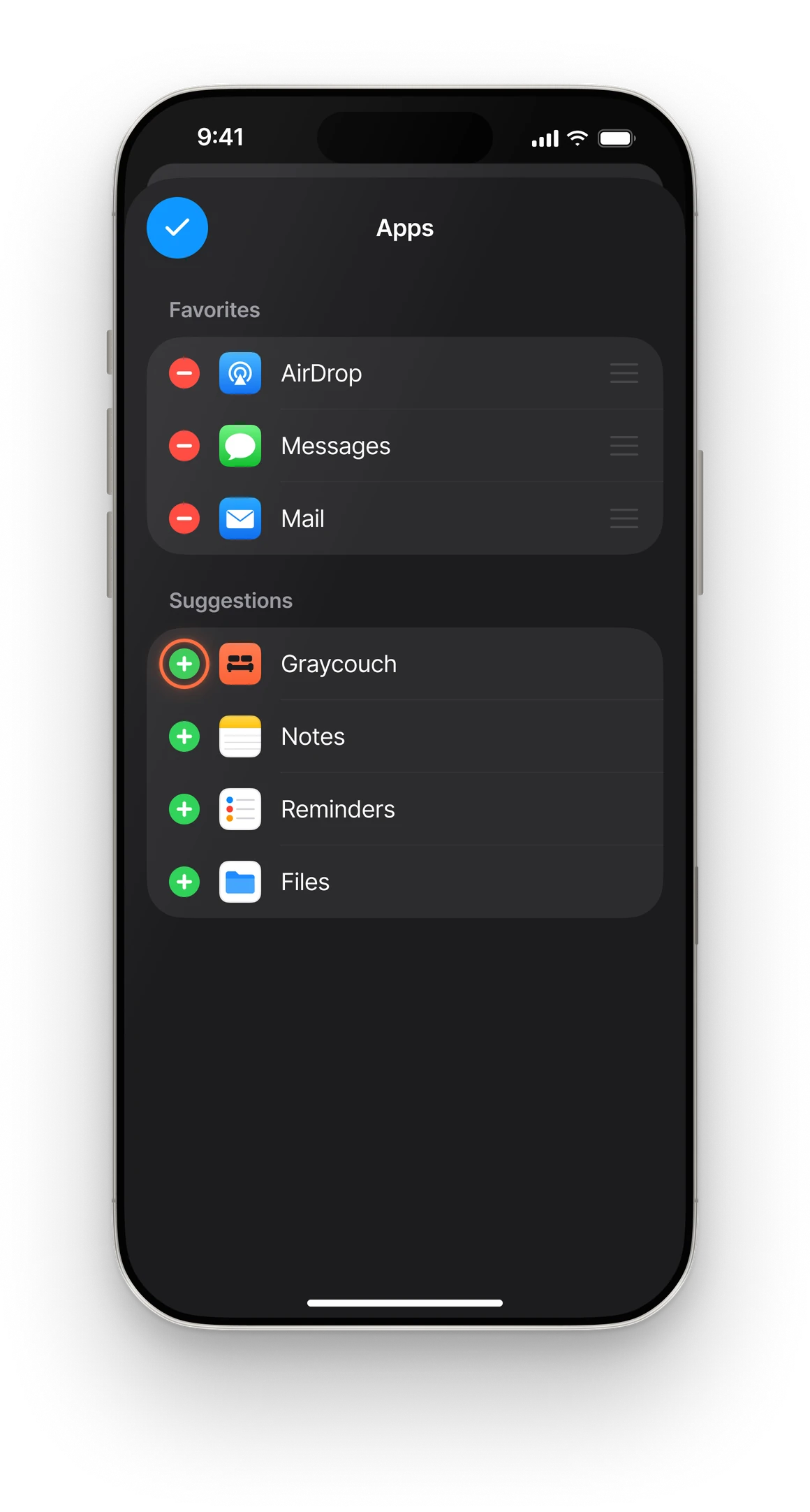
Tap Edit, then tap + next to Graycouch.

Tap Edit, then tap + next to Graycouch.

Tap Edit, then tap + next to Graycouch.

Apps list in edit mode with the plus next to Graycouch highlightedApps list in edit mode with the plus next to Graycouch highlighted

Illustration · real screenshot coming

Tap ✓ to finish.

Tap ✓ to finish.

Tap ✓ to finish.

Apps list with Graycouch added and the done check highlightedApps list with Graycouch added and the done check highlighted

Illustration · real screenshot coming

Next time

That’s it. Graycouch now sits right in your share menu.

That’s it. Graycouch now sits right in your share menu.

That’s it. Graycouch now sits right in your share menu.

Save it now. Find it later.

iOS share sheet with Graycouch pinned in the app row
iOS share sheet with Graycouch pinned in the app rowiOS share sheet with Graycouch pinned in the app row

Illustration · real screenshot coming